Drupal vs WordPress: which one fits your business?
- CMS
- 7 min read
- Ahsan
For most small businesses, WordPress is the better fit. It’s cheaper to build and run, easier for your team to edit, and far more developers know it. Drupal fits sites with complex content types, many user roles or several languages, where its structure pays for itself. That’s the short answer to Drupal vs WordPress; the rest of this guide shows where the line falls, so you can tell which side your site is on.
We’re a web design and development company that builds on both, so we have no reason to push one. We’ve built websites on both WordPress and Drupal for 12+ years.
Drupal vs WordPress at a glance
Drupal and WordPress are both free, open-source content management systems written in PHP, but they’re built for different jobs. Here’s how they compare on the 7 points that matter most to a small business.
| WordPress | Drupal | |
|---|---|---|
| Editing | Block editor, easy for non-technical staff | Powerful, but more screens and settings to learn |
| Cost to build | Lower: themes and plugins cover most needs | Higher: more setup and configuration |
| Security model | Core updates itself for security releases by default; plugins vary in quality | A dedicated security team issues advisories; a developer usually applies updates |
| Add-ons | Over 74,000 free plugins in the official directory | Fewer modules, many aimed at larger sites |
| Hosting | Almost any PHP host | Needs a host or developer comfortable with Drupal |
| Developer pool | Very large | Smaller and more specialized |
| Share of all websites | 40.2% | 0.6% |
The usage figures are W3Techs’ survey of websites as of 30 Sep 2026; they change daily.
Where WordPress wins
WordPress wins on ease, cost and choice. There are 4 places where it comes out ahead for a small business.
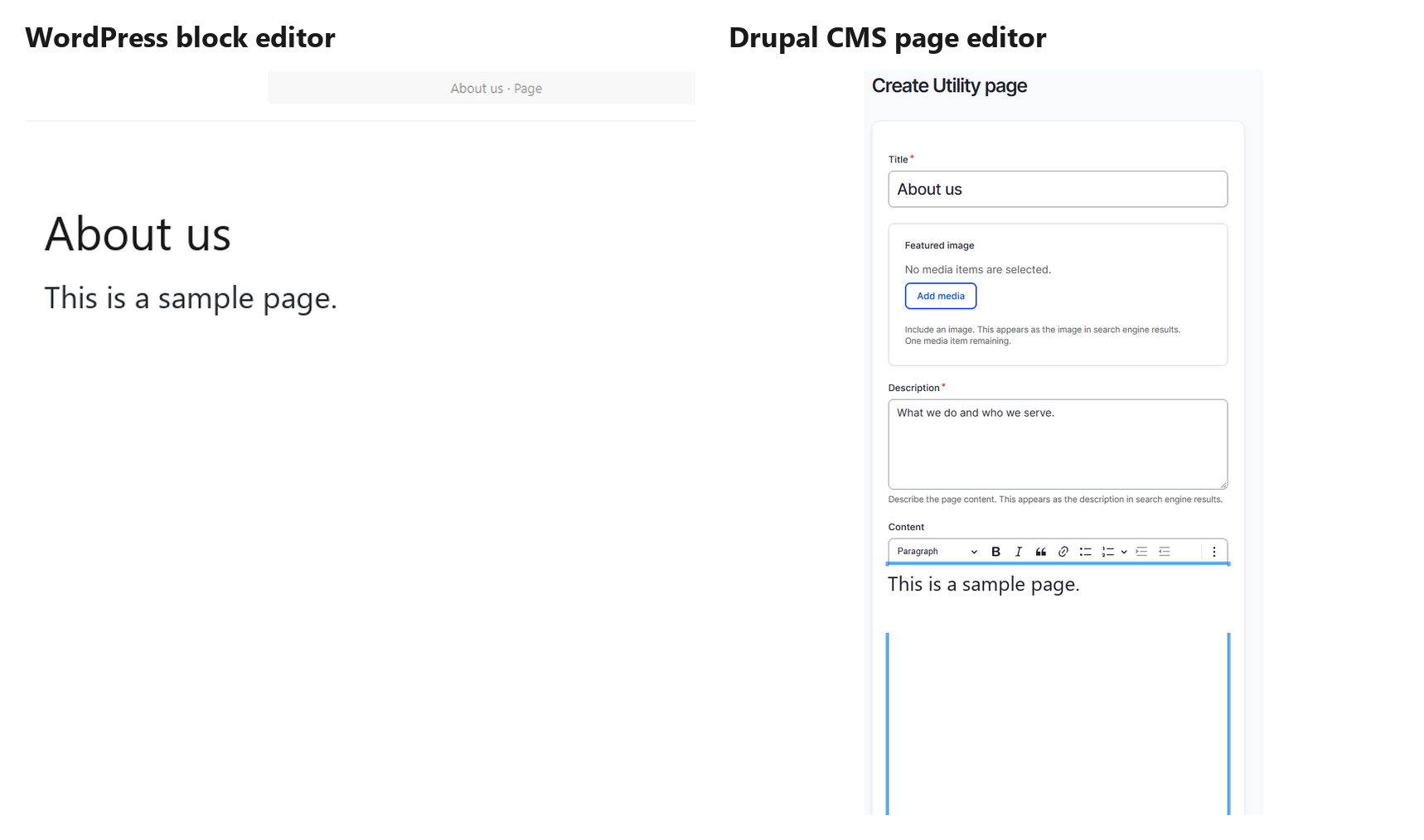
- Your team can edit it. The block editor feels like a word processor. A receptionist can update opening hours without calling anyone.
- It costs less to build. A good theme plus a handful of plugins covers most small-business sites, so a developer spends time on your content, not on setup.
- There’s a plugin for most jobs. Booking forms, SEO, online stores with WooCommerce, email signups: the official directory lists over 74,000 free plugins.
- You’re never stuck with one developer. WordPress runs 40.2% of all websites, so if your developer moves on, someone else can pick it up next week.
The honest limit: that plugin choice cuts both ways. Every plugin is code someone else maintains, and a site with 40 of them is harder to keep fast and safe.
Where Drupal wins
Drupal wins when your content has a lot of structure, a lot of people touching it, or more than one language. There are 4 cases where its extra cost pays off.
- Complex content types. Drupal lets you define content types with their own fields and link them together. Think of a clinic group with 60 providers, each tied to specialties, locations and insurance plans, all filterable on the site.
- Many user roles and approval steps. Drupal’s permissions are fine-grained, and its core includes content moderation, so a draft can go from writer to reviewer to publisher. An association with staff, members and board-only pages fits here.
- Several languages. Multilingual support is built into Drupal core. In WordPress, you’d add a plugin for it.
- Feeding other systems. Drupal core can serve your content through an API (JSON:API) to an app, a kiosk or another site.
A typical case for Drupal is a professional association with member-only pages, several editors and an approval step before anything goes live. Drupal core handles those roles and that workflow, where WordPress needs a stack of plugins to match.
If none of those 4 sound like you, Drupal’s strengths will mostly cost you money without giving you much back.
Drupal vs WordPress security
Both are secure when they’re kept updated; the difference is in how updates reach your site. Neither one is safe if nobody looks after it.
- WordPress installs minor core releases, including security releases, automatically on most sites by default. Plugins and themes are updated by their own authors, and quality varies from plugin to plugin.
- Drupal has a security team that publishes advisories for core and for contributed modules covered by its security policy. On most Drupal sites, a developer applies the updates.
In practice, an old site is the real risk on either platform: outdated plugins on WordPress, or an unsupported major version on Drupal.
Drupal vs WordPress cost
Drupal usually costs more to build and to maintain than WordPress, even though both are free to download. Both are released under the GPL, version 2 or later, so there’s no license fee. There are 3 places the difference shows up.
- The build. Drupal takes more configuration, and its developers are fewer and more specialized, so their time costs more.
- Hosting. Both run on standard PHP hosting, but a busy Drupal site with many modules can need a stronger server and a host that knows Drupal.
- Upkeep. Drupal’s major version upgrades have sometimes meant a rebuild; the move from Drupal 7 was one. WordPress major updates are usually a click, followed by a check of your plugins.
We quote after a short call, because scope varies. As a rule of thumb, expect a Drupal build and its yearly upkeep to cost noticeably more than a WordPress site with the same pages, mostly because of the extra setup and specialist developer time.
For the line-by-line numbers on the WordPress side, see our guide to how much a WordPress website costs.
Drupal vs WordPress vs Joomla: what about Joomla?
Joomla is a third free, open-source option that sits between the two: more built-in structure than WordPress, less than Drupal. It runs 1.1% of all websites, so it has a smaller pool of developers and add-ons than WordPress. For a small business starting fresh, we rarely see a reason to pick it over WordPress.
If you’re on Drupal 7 now
If your site still runs Drupal 7, it’s past its end of life: Drupal 7 reached end of life on January 5, 2025 and no longer gets security updates from the Drupal project. You have 3 ways forward.
- Upgrade to a current Drupal. Going from 7 to 11 is closer to a rebuild than an update, since your content is migrated into a new site. Skip Drupal 10: it reaches end of life on December 9, 2026.
- Move to WordPress. If your site is mostly pages, posts and a contact form, a drupal to wordpress migration usually leaves you with a site that’s cheaper to run and easier to edit.
- Pay for extended support. Some vendors sell security support for Drupal 7. It buys time, not a fix.
Whichever you choose, protect your search traffic. Google’s site-move guide says to map every old URL to its new one, use permanent redirects, and keep them for as long as possible, generally at least 1 year.
A common case: an owner on Drupal 7 pays a developer for every text change and wants staff to edit the site themselves. Moving the pages and posts to WordPress, with a 301 redirect for every old URL, usually leaves a site that costs less to run and that the team can update on its own.
How to decide
Decide by asking what your site has to do in the next 3 years, not what it does today. There are 5 questions to answer.
- Does your content have many connected types, like providers, locations and services that link to each other?
- Do more than a few people edit the site, with different permissions and an approval step?
- Do you publish in more than one language?
- Does another system (an app, a portal) need to pull content from your site?
- Is there budget for a specialist developer every year, not just at launch?
If you answered yes to 2 or more, Drupal deserves a serious look. If not, WordPress will do the job for less. When you compare wordpress design companies, ask whether they’ve also worked on Drupal; a team that knows both will tell you honestly which one you need.
If your site needs what Drupal does well, our drupal development services cover builds, upgrades and support.
FAQ
Is Drupal more secure than WordPress?
No, not by itself. Both have dedicated security teams that publish security releases for core. The bigger difference is add-ons: a typical WordPress site runs more third-party plugins, and each one is code someone has to keep updated. A well-kept site on either platform is secure, and a neglected one on either isn’t.
Is Drupal harder to use?
Yes, for most people. Drupal’s admin has more screens, settings and terms to learn, and building features usually takes a developer. Drupal CMS, a ready-to-use version of Drupal, has made editing friendlier with a drag-and-drop page builder. For everyday edits, most small-business teams still find WordPress quicker to learn.
Can I move from Drupal to WordPress without losing SEO?
Yes, if you plan the redirects. Map every old URL to its new address, set up permanent 301 redirects, and keep them for at least a year, as Google’s site-move guide advises. Keep your titles and content, check Search Console for errors after the move, and expect some ups and downs while Google recrawls.
Is Drupal free?
Yes. Drupal is free, open-source software released under the GPL, version 2 or later, so there’s no license fee to download or use it. What costs money is the work around it: hosting, a developer to build and configure the site, paid modules if you choose any, and the yearly updates that keep it secure.
Which is better for a small business?
WordPress, in most cases. It’s cheaper to build, easier for your staff to edit and supported by far more developers. Drupal is the better choice when your site has complex, connected content, many editors with different permissions, or several languages. If you’re unsure, list what the site must do in 3 years and check it against the questions above.
Is Drupal still supported?
Yes. Drupal is actively developed, and current major versions get security updates. Drupal 7 is the exception: it reached end of life on January 5, 2025, and Drupal 10 follows on December 9, 2026. If your site runs either one, plan an upgrade or a move now.
Stuck on an old Drupal site?
Tell us what it runs: the Drupal version, roughly how many pages, and what your team struggles to change. We’ll tell you whether to upgrade or move, and what each path involves.

Ahsan Shahid, CEO
Ahsan spent 12+ years as a lead developer on Drupal and WordPress projects before building the team behind Tech Artisans, and still reviews the technical work on client projects.
More about us